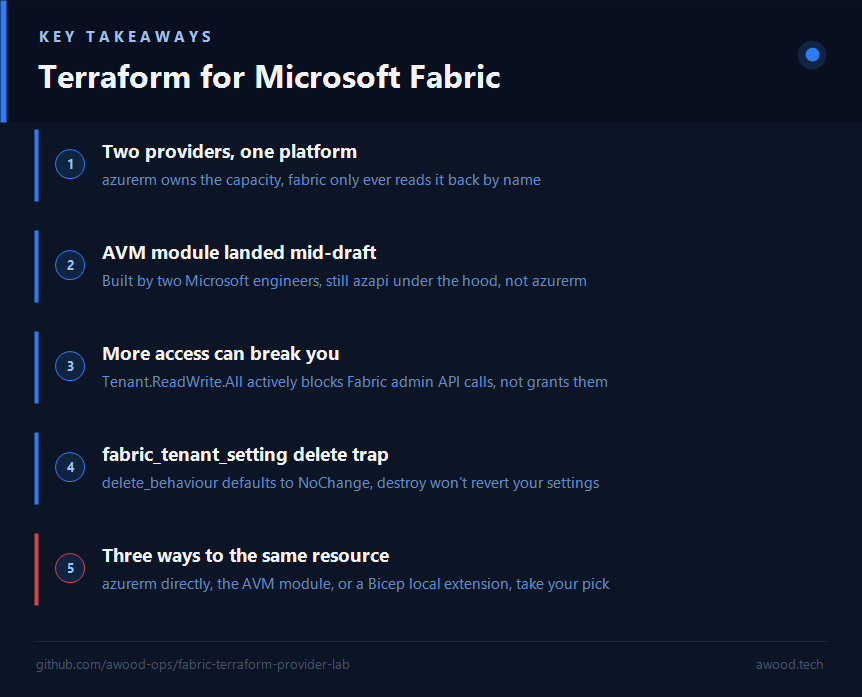

Microsoft Fabric got an official Terraform provider, it went GA back in April, and it still expects you to bring a second provider along for half the job. Here’s the split nobody spells out up front.
I use Fabric most days, but rarely on my own terms: every customer has their own idea of how they want it set up, so between Terraform, Bicep, and plain PowerShell against the REST API, I’ve ended up building the same kind of thing in whatever tool a given engagement calls for. The Bicep local extension a few weeks back was one of those. When microsoft/fabric reached Terraform GA, the obvious question was whether the official provider made the tool choice a non-issue, just default to Terraform now that Microsoft backs it properly. It doesn’t, not exactly: the provider exists, it works, but it still hands you a two-control-plane problem to manage yourself rather than dissolving it. Then, while this post was still sitting in drafts, an official AVM module for the capacity landed and quietly falsified a line I’d already written. Rather than editing that out quietly, this post now covers both: what I found the first time, and what changed under me before I got round to publishing it.
Microsoft Fabric doesn’t live entirely inside the Azure Resource Manager world, and that turns out to matter a lot more than it sounds like it should the moment you try to script it. A Fabric capacity is a real ARM resource: it has a resource group, it bills like one, Azure RBAC applies to it. A Fabric workspace, lakehouse, or notebook is not. Those live in Fabric’s own API surface, governed by the Fabric/Power BI admin model, and ARM doesn’t know they exist. One platform, two completely different control planes underneath it, and that split runs straight through your Terraform.
Two providers, doing two different jobs
microsoft/fabric reached general availability on 21 April 2026, roughly six months after its first release, and as of v1.12.0 (8 July 2026, so a week old as I’m writing this) it’s actively still growing: that release alone added a fabric_anomaly_detector resource and data source, and the release before it (v1.11.0, June 2026) graduated fabric_environment, fabric_spark_custom_pool and fabric_spark_environment_settings out of preview. This thing is being built in public, in real time.
What it doesn’t do, deliberately, is manage the capacity itself:
terraform {
  required_version = ">= 1.8, < 2.0"
  required_providers {
    fabric = {
      source  = "microsoft/fabric"
      version = "1.12.0"
    }
  }
}

provider "fabric" {
  # auth config, see below
}
A capacity is an Azure resource, so it’s created with a dedicated azurerm_fabric_capacity resource. Microsoft’s own quickstart lives at aka.ms/FabricTF/quickstart, and that’s exactly what it uses, there’s no azapi escape hatch involved here, azurerm_fabric_capacity has been in the azurerm provider since v4.14.0. And then looked up from the Fabric side by name:
resource "azurerm_fabric_capacity" "example" {
  name                = "examplecapacity"
  resource_group_name = azurerm_resource_group.example.name
  location            = azurerm_resource_group.example.location

  administration_members = ["admin@example.com"]

  sku {
    name = "F2"
    tier = "Fabric"
  }
}

data "fabric_capacity" "example" {
  display_name = azurerm_fabric_capacity.example.name
}

resource "fabric_workspace" "example2" {
  display_name = "example2"
  description  = "Example Workspace 2"
  capacity_id  = data.fabric_capacity.example.id
  identity = {
    type = "SystemAssigned"
  }
}
Note the shape of that: azurerm provisions the capacity, fabric only ever reads it back by display_name as a data source. There’s no resource-level ownership handoff between the two providers, just a name-based lookup stitching them together. If someone renames the capacity outside Terraform, that lookup silently starts resolving to nothing (or the wrong thing, if names collide across scopes) rather than failing loudly at plan time.
There was no AVM (Azure Verified Modules) module for any of this when I first wrote this post, worth flagging if you’ve used AVM elsewhere: the Bicep side has avm/res/fabric/capacity in the public registry, but the Terraform registry had zero avm-res-fabric-* modules under the Azure namespace. That changed while this post was still sitting in drafts: Azure/terraform-azure-avm-res-fabric-capacity shipped v0.1.0 on 11 August 2026, built by Benjamin Van Brussel and Bram Callewaert and announced on LinkedIn. Credit where it’s due, that’s a real gap closed. It’s not on the Terraform Registry yet, only a GitHub tag, so it has to be sourced as source = "github.com/Azure/terraform-azure-avm-res-fabric-capacity?ref=v0.1.0" rather than the usual registry shorthand. More on what swapping it in actually revealed further down.
Worth knowing too: fabric_workspace has a skip_capacity_state_validation escape hatch specifically for when "the caller does not have permissions to list capacities", which tells you plainly that the two providers don’t always even share the same permission model for the same object:
resource "fabric_workspace" "example3" {
  display_name                   = "example3"
  description                    = "Example Workspace 3"
  capacity_id                    = "00000000-0000-0000-0000-000000000000"
  skip_capacity_state_validation = true
}
Auth: five ways in, and they’re not interchangeable
The fabric provider block supports Azure CLI (use_cli), managed identity (use_msi), service principal with a client secret (client_id / client_secret), service principal with a certificate (client_certificate / client_certificate_password), and service principal with OIDC (use_oidc, oidc_token, oidc_request_url) for workload identity federation in a pipeline. That’s a normal-looking list for an Azure-adjacent provider. What isn’t normal is a permission that actively works against you once you’re authenticated.
The gotcha: more access makes it worse
A user on the provider’s GitHub tried to deploy a fabric_domain resource with a service principal and got:
Error: Read operation - Could not read resource: Authorization Context Requested but not available - Error Code: Unauthorized
with a perfectly healthy, correctly-scoped service principal. The cause, once someone dug into it (GitHub issue #517 on microsoft/terraform-provider-fabric): the service principal had the Tenant.ReadWrite.All Graph API permission assigned, and that permission actively blocks Fabric admin API calls rather than granting broader access to them. Removing it fixed the deployment. A maintainer went and updated the docs off the back of that thread to say so explicitly. If you’re coming from the ARM world, where more RBAC scope is never the thing breaking your deployment, that’s a genuinely counterintuitive failure mode to debug cold.
Trying it for real
By the time I actually ran this, the provider had already moved: v1.12.1 had shipped, a patch release ahead of the v1.12.0 covered above. terraform providers on my config showed hashicorp/azurerm v4.81.0, hashicorp/azuread v3.9.0, and microsoft/fabric v1.12.1, against Terraform v1.15.8. Auth was plain Azure CLI (use_cli = true), no service principal, because this ran against a throwaway "Fabric Demo" subscription I was already az login‘d into. That also means I didn’t hit the Tenant.ReadWrite.All gotcha above myself, a user-context run never exercises that code path, so take that section as documented-not-reproduced rather than something I hit firsthand.
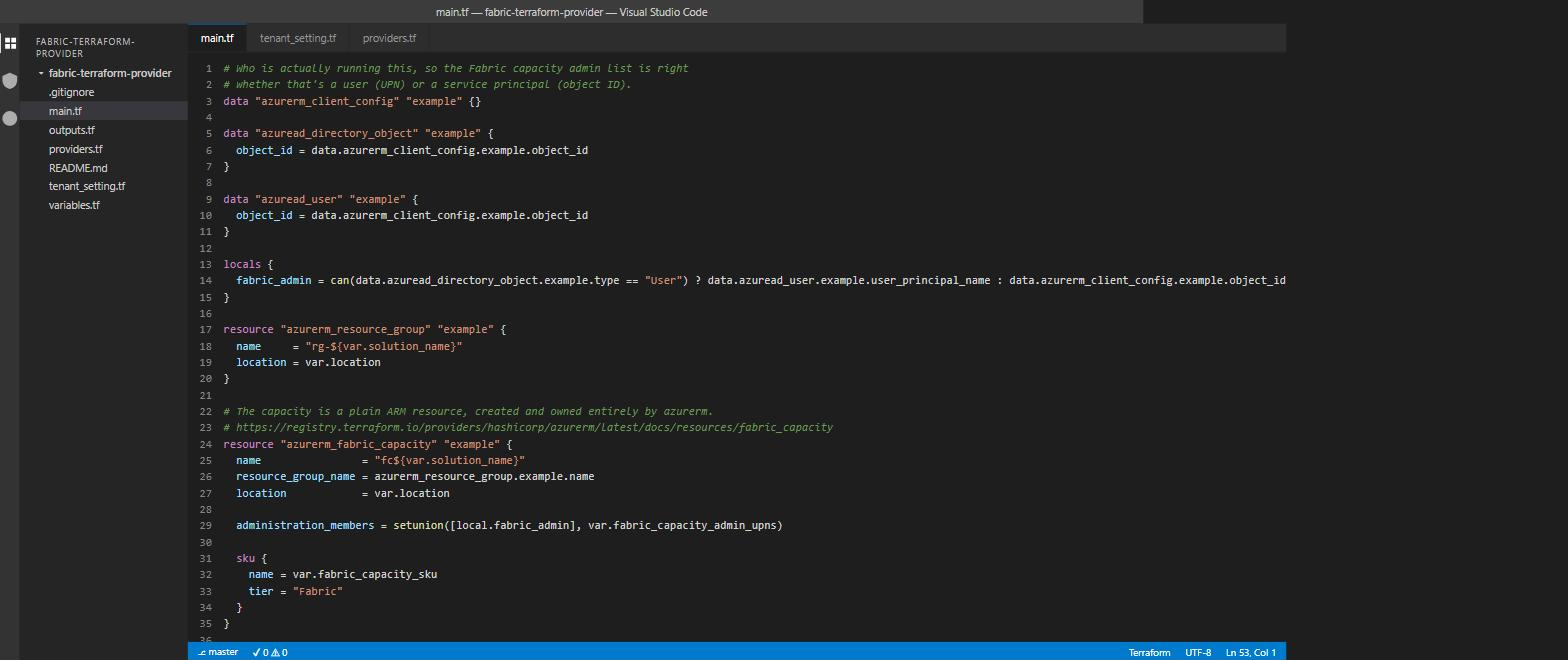
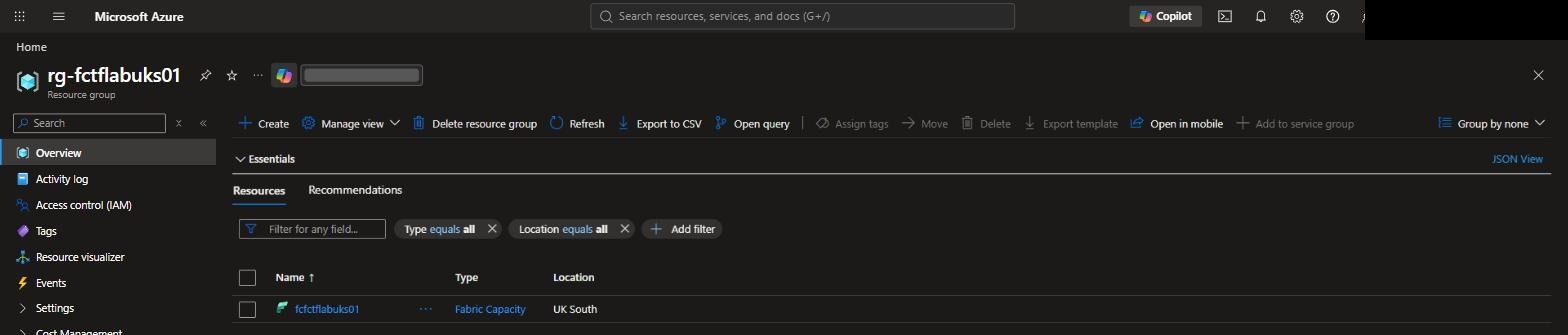
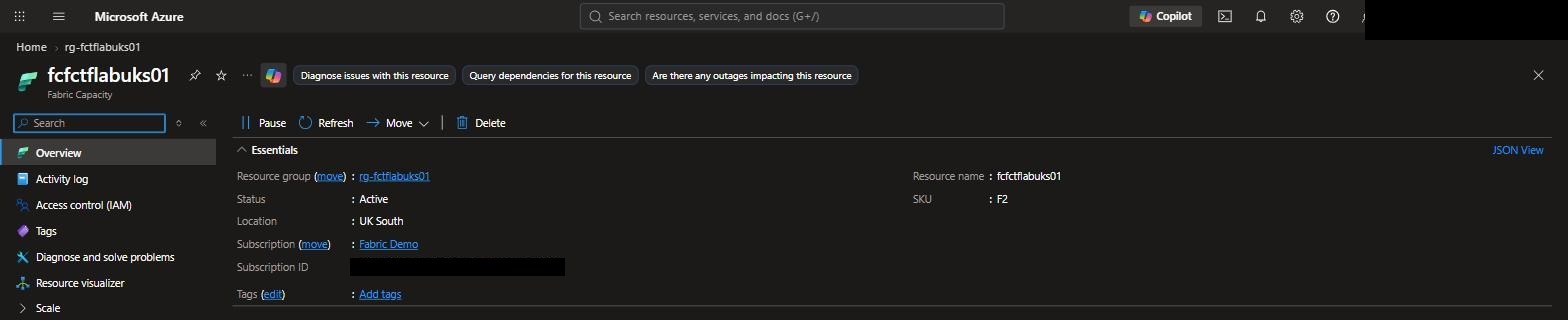
The real chain: a resource group, an azurerm_fabric_capacity (F2, UK South), the fabric_capacity data source reading it back with the state == "Active" postcondition from earlier, and a fabric_workspace on top. It applied clean on the first try, no retries. The workspace came back with real OneLake endpoints, https://uksouth-onelake.blob.fabric.microsoft.com and the matching dfs one, proof the capacity-to-workspace handoff genuinely works end to end when nothing’s fighting it.
Then I went after fabric_anomaly_detector from v1.12.0, since it’s new enough that there’s essentially no hands-on coverage of it anywhere. First hurdle: it’s still preview-gated at the provider level, plan refuses to even show it without preview = true set on provider "fabric", separate from anything at the tenant level. With that flag set, plan was clean, two lines of config, display_name and workspace_id. apply was not: it failed outright with
Error: Create operation
Could not create resource: The feature is not available
Error Code: FeatureNotAvailable
on a Fabric Demo tenant with a brand-new F2 capacity and nothing else configured. My read: this is the same species of gate as the Domain/TenantSetting admin-API allow-listing I ran into building the Bicep local extension, a tenant-level toggle that has to be flipped by a human before Terraform (or anything else) can touch the resource, and the provider’s own preview = true is necessary but not sufficient. I didn’t chase down which specific tenant setting unlocks it before tearing the lab down.
Closing the loop: fabric_tenant_setting
Except I did go back and chase it, because there’s a third resource type in this provider I hadn’t touched yet: fabric_tenant_setting. Unlike fabric_anomaly_detector, it explicitly supports Service Principal auth, tenant settings are exactly the kind of thing you want to manage from a pipeline, not a human running terraform apply from their laptop.
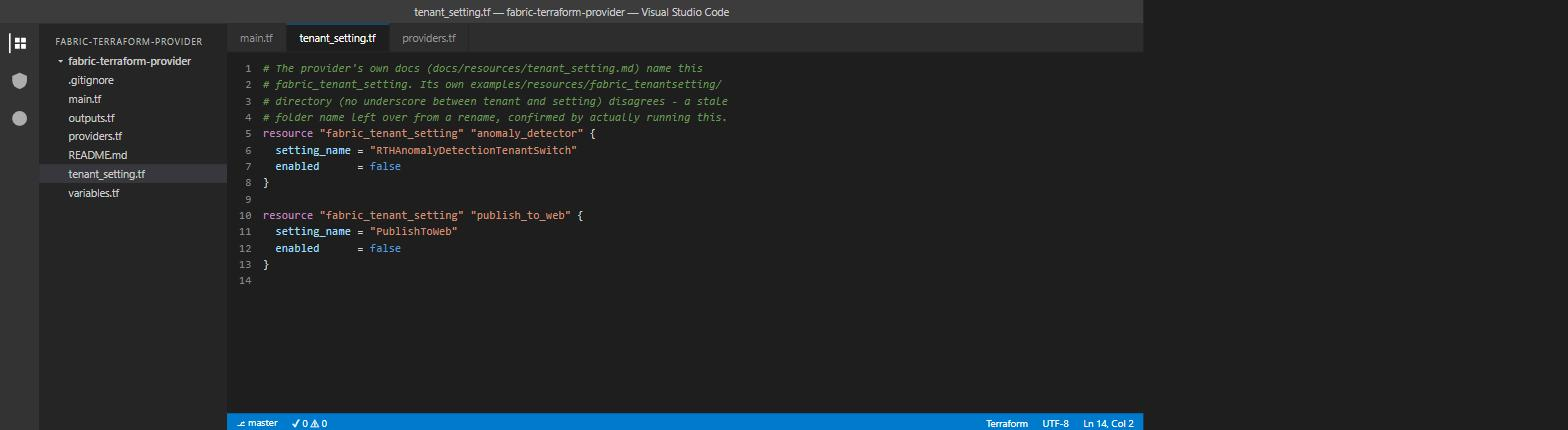
First problem: I needed a real setting_name to test against, and Fabric has dozens of them, undocumented in any one place I could find. Rather than guess, I pulled the tenant’s actual settings straight from the admin API with the same Azure CLI token the provider itself uses:
curl -H "Authorization: Bearer $(az account get-access-token --resource https://api.fabric.microsoft.com --query accessToken -o tsv)" \
  https://api.fabric.microsoft.com/v1/admin/tenantsettings
Buried in there: RTHAnomalyDetectionTenantSwitch, "Detect anomalies in Real-Time Intelligence (Preview)", sitting at enabled: false. That’s almost certainly the exact gate behind the FeatureNotAvailable error above. Flipped it:
resource "fabric_tenant_setting" "anomaly_detector" {
  setting_name = "RTHAnomalyDetectionTenantSwitch"
  enabled      = true
}
apply completed almost immediately, and re-querying the same admin API endpoint confirmed enabled: true for real. Loop closed: the provider’s preview = true gets you past its own gate, but there’s a genuinely separate tenant-level admin toggle behind fabric_anomaly_detector, and this is the resource type that manages it.
Second run, because a plain enable/disable undersells what this resource actually does: PublishToWeb was already false tenant-wide by default, so the interesting demo wasn’t disabling it, it was enabling it for one Entra security group only, the realistic version of this in an actual organisation.
resource "fabric_tenant_setting" "publish_to_web" {
  setting_name = "PublishToWeb"
  enabled      = true

  enabled_security_groups = [
    { graph_id = "<entra-group-object-id>" }
  ]
}
That surfaced two places where the provider’s own repo disagrees with itself. First, its docs (docs/resources/tenant_setting.md) name the resource fabric_tenant_setting, but its own examples/resources/fabric_tenantsetting/ folder (no underscore) doesn’t, a stale directory name left over from a rename. Second, that same stale example sets a name field on each enabled_security_groups entry, and the real schema rejects it outright:
Error: Invalid Configuration for Read-Only Attribute
Cannot set value for this attribute as the provider has marked it as read-only.
graph_id is the only settable field, name comes back populated from the API afterward. Once I dropped it, apply went through clean, and the admin API confirmed exactly what was configured: enabledSecurityGroups: [{"graphId": "...", "name": "sg-fabric-tf-lab-publishweb"}].
One more thing worth knowing before you try this yourself: delete_behaviour on fabric_tenant_setting defaults to "NoChange". A plain terraform destroy does not undo either of these changes, it just stops Terraform tracking the resource at whatever value it was last set to. Reverting for real meant explicitly re-applying with enabled = false on both and confirming against the live API, not just tearing the resources down.
The AVM module, tried for real
I went back and swapped Azure/terraform-azure-avm-res-fabric-capacity into the same lab, replacing the hand-written azurerm_fabric_capacity block with the module, everything else (the fabric_capacity data source, fabric_workspace) left as-is. Two things stood out.
First, the module isn’t built on azurerm_fabric_capacity at all. It’s azapi_resource, calling Microsoft.Fabric/capacities@2023-11-01 directly. Even the officially verified module bypasses the dedicated azurerm resource that Microsoft’s own quickstart uses. That’s now a third way to create the exact same ARM resource, on top of azurerm directly and the Bicep local extension from the earlier post.
Second, the module isn’t just a rewrite of the same four fields. enable_telemetry, a lock block (CanNotDelete or ReadOnly on the capacity), and role_assignments (Azure RBAC scoped to the capacity, via a shared Azure/avm-utl-interfaces/azure submodule so the shape matches other AVM resource modules) all come wired up, none of which the hand-written block had. I didn’t exercise lock or role_assignments in this run to keep the diff minimal, but the module’s own examples/max demonstrates both, along with retry handling for two races worth knowing about if you hit them: ScopeLocked on delete, where Azure still reports a just-removed CanNotDelete lock for a moment, and All provided principals must be existing on create, Entra replication lag when the admin principal is created in the same apply.
Applied clean: resource group, capacity, workspace, real OneLake endpoints back, same as before. Destroyed immediately after, same reason as always, an F2 capacity bills for as long as it exists.
Why This Matters
Fabric being split across ARM and its own admin plane isn’t a bug, it’s just what happens when a SaaS analytics platform gets bolted onto Azure’s billing and identity story rather than being native to it from day one. The Terraform story reflects that honestly: two providers, a name-based handoff between them, and a permission model that doesn’t always agree with itself. None of that makes it not worth using, v1.12.0 a week old is proof this is still actively maturing, but it does mean the "just add a resource block" mental model from azurerm doesn’t transfer cleanly. Know which control plane you’re actually talking to before you debug the wrong one. And now there are three ways to provision the ARM half alone, azurerm directly, the AVM module wrapping azapi, or a Bicep local extension if you’re not even in Terraform, which says more about how young this tooling still is than it does about which one you should pick.